
How "Translate Content" feature works?
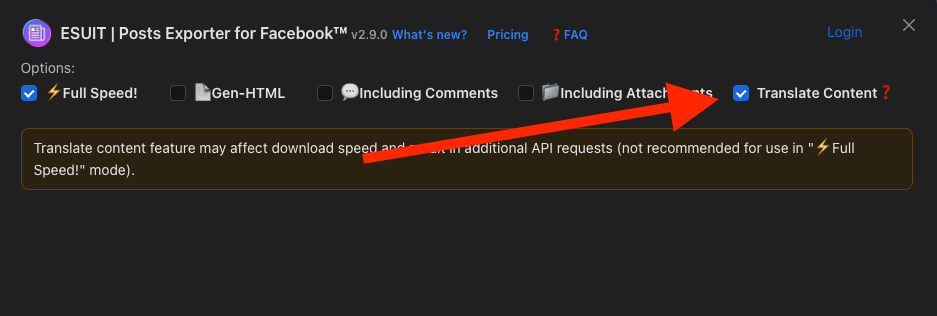
In version 2.9.0, the extension added a new feature "Translate Content" to used for fetching posts and comments that need translation from Facebook
Which posts/comments does it work with?
TIP
The primary language setting of my Facebook account is set to EN-US, but the content I am viewing here is in Vietnamese.
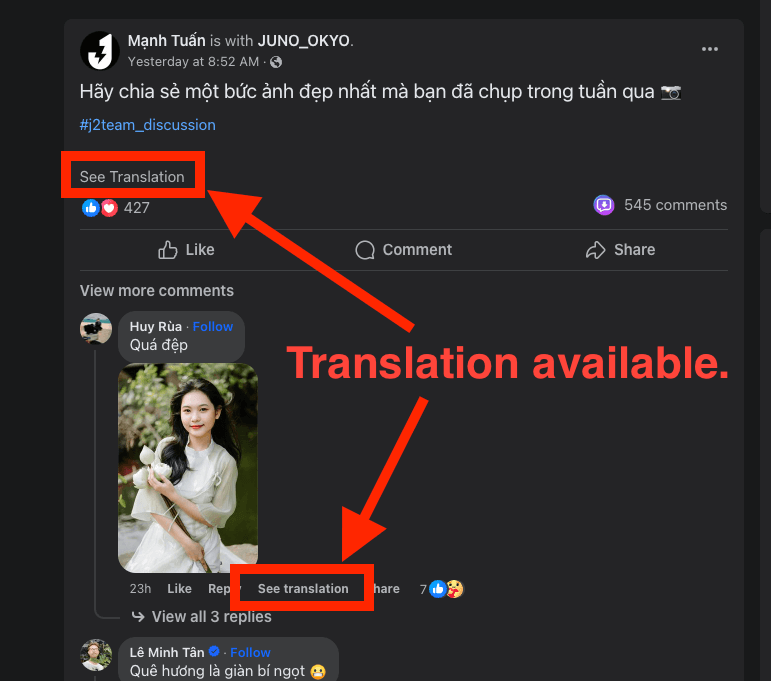
When you see the "See Translation" button in a post, it means that the translation feature is available for the current language.
When you enable the "Translate Content" feature, the extension will automatically use Facebook's translation API to translate the captured content including post content and comment content.
WARNING
If the content is empty or the post does not require translation, Facebook's translation API will not be called to avoid unnecessary API requests.
Demo
Before enable "Translate Content"
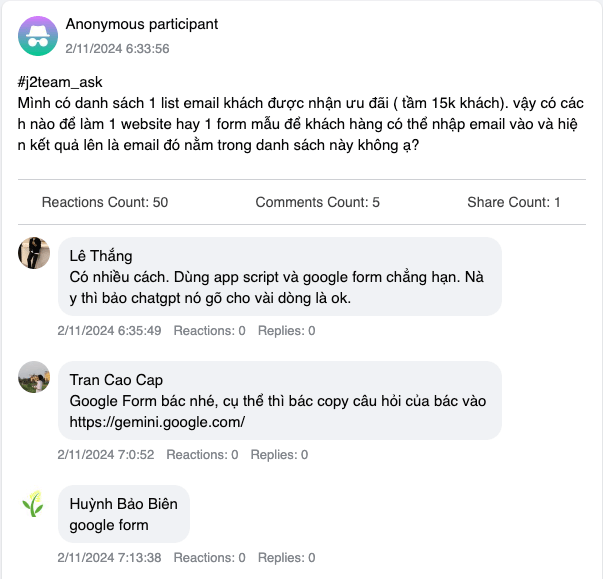
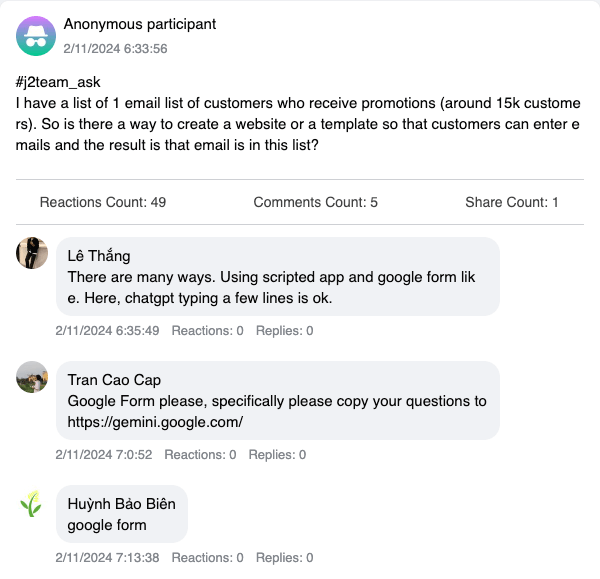
After enabled "Translate Content"
TIP
All content has been translated into EN-US.
How to change the translation language?
Here is the official documentation from Facebook. You can follow the instructions in the document to switch languages.
How do I change the language that Facebook posts or comments are translated to?
Why has the download speed become very slow after enabling the "Translate Content" feature?
Because each post content and comment content require an additional request to the translation API.
If there are a large number of comments in a post, this will lead to a high volume of translation API requests.
In order to avoid limitations from the Facebook interface, in disabled "FullSpeed" mode, translation requests will have random delays.
Webhook Integration and Translation
If you are using the Webhook feature, translation interacts with webhook events as follows:
posts.batchevent: Fired immediately after posts are fetched from Facebook's API, before translation is applied. Thecontentfield in each StoryItem contains the original, untranslated text. This is the pre-translation stage — use this event for lightweight indexing or filtering before translation.post.completedevent: Fired after all processing is done for a single post — translation applied (if enabled), comments fetched, attachments downloaded, HTML/JSON exported. Thecontentfield in the StoryItem contains the translated text (if "Translate Content" was enabled). This is the post-translation stage — use this event for downstream storage or display.
If "Translate Content" is disabled, both events contain the same original content. If enabled, posts.batch carries the original language while post.completed carries the translated result.
For detailed webhook event schema and examples, see How to use Webhook.